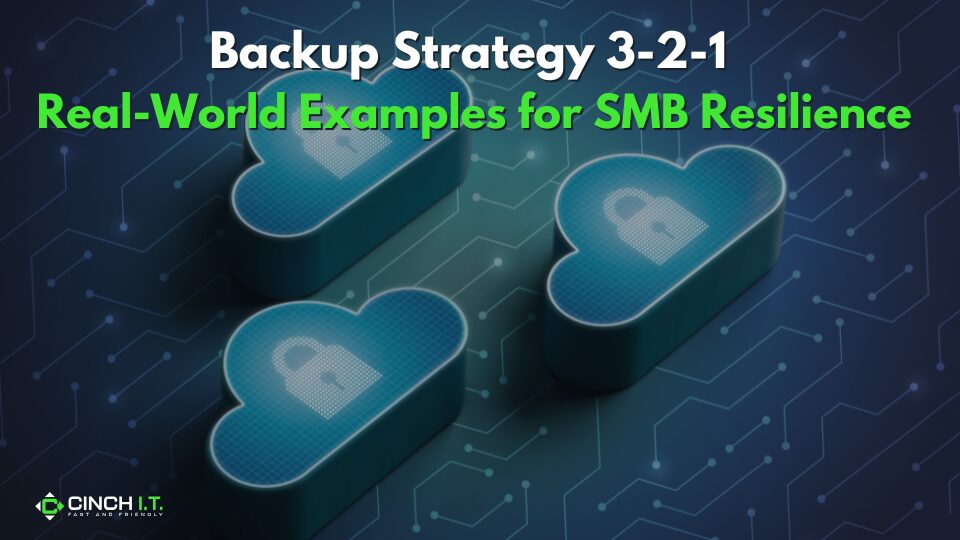
When it comes to safeguarding your business data, the 3-2-1 backup strategy is basically the golden rule. It’s simple enough for a small Denver business yet robust enough to save your company after a disaster. The rule says: keep 3 copies of your data, on 2 different types of storage media, with 1 of those copies stored off-site. Let’s break down what that means in practice, and look at how real SMBs implement 3-2-1 backup rule to keep their small business backup strategy resilient against data loss.
The 3-2-1 Backup Rule Made Simple
Imagine you have your primary business data on your office computer (that’s copy #1). You also back it up nightly to an external hard drive in the office (copy #2, different medium). And, in addition, you use a cloud backup service giving you another copy on the cloud (copy #3, off-site). By doing this, no single disaster will wipe out everything. Even if your PC dies and that external drive gets fried in the same electrical surge, your cloud backup is safely off-site.
This approach prevents a single point of failure from causing chaos. For example, backing up data to an external drive and a cloud service shields you from localized disasters like a fire or flood in the office. One copy might be destroyed, but others survive.
Real-World Example – The Accounting Firm
Consider a small accounting firm. They keep client files on a server in the office. Every night, that server pushes a backup to a NAS device on-site, and also to an encrypted cloud backup service.
In this case, the server is the original data, the NAS (Network Attached Storage) is a second copy on different hardware, and the cloud backup is the third copy stored off-site. This firm could even go a step further. Once a week, they rotate a portable hard drive backup that an owner takes home (giving an additional off-site copy).
In practice, their 3-2-1 looks like: production data + local backup + cloud backup. By having that layered approach, if ransomware hits their server, they can restore from the NAS quickly; if a wildfire or burglary affects the whole office, the cloud backup ensures they can recover from anywhere. As one IT provider describes, “an accounting firm might keep files on a server, mirror those to a local NAS, and then upload another copy to secure cloud storage” – exactly how 3-2-1 should work.
Why 3-2-1 Matters for SMBs
You might be thinking, “Do I really need all those backups?” The answer is yes, if you want to sleep easy. Cyberattacks like ransomware and everyday incidents like hardware failure are constantly lurking. The U.S. Chamber of Commerce notes that without a proper backup strategy, a single server crash or malware event could literally halt your operations. In fact, government agencies like CISA say it’s not if you’ll be attacked, but when.
Having multiple backups means you can bounce back quickly. According to industry surveys, over 95% of businesses fully recover from ransomware if they have reliable backup and recovery in place. The 3-2-1 backup rule ensures your backups themselves aren’t a single point of failure.
For instance, storing one backup off-site (or in cloud) protects you if a localized event knocks out your office, and using two different media (say disk and cloud, or disk and tape) means a flaw in one medium won’t affect all copies.
Modern Twists – Immutable Backups and Cloud Apps
Today, some businesses extend the 3-2-1 backup rule to 3-2-1-1-0, adding an immutable backup (one that can’t be altered or deleted by ransomware) and “0 errors” (regularly testing restores).
To do this, you might keep an additional copy on cloud storage with write-once settings so it can’t be encrypted by malware. Testing backups quarterly is also a lifesaver – after all, a backup is only as good as your ability to restore it (the “0” means zero errors upon recovery). Another consideration: many companies now rely on SaaS like Microsoft 365 or Google Workspace. Don’t overlook backing up that cloud data too. It’s a myth that cloud services don’t need backup – many only have limited retention. If you use Microsoft 365 for email and files, consider a third-party cloud-to-cloud backup.
According to a 2025 industry report, 30% of businesses hadn’t updated their backup solutions in 5+ years and were overconfident in cloud provider backups. Don’t be that statistic. Integrate cloud app backups into your 3-2-1 plan so your SaaS data isn’t an Achilles’ heel.
Implementing 3-2-1 Backup Rule Efficiently
For most small businesses, the easiest path is combining an on-site backup with a reputable cloud backup service. For instance, use backup software to automatically save daily copies to an external USB drive or NAS in the office, and have it also replicate to cloud storage. This way, it’s largely set-and-forget. Just remember to check the logs periodically to ensure backups succeed, and test a restore monthly or quarterly.
Another tip: apply encryption to your backups, especially cloud ones, so that even if data is intercepted, it’s useless to anyone else. Also, keep those external drives in a secure place (or use drives with built-in encryption) – physical theft is a risk too.
Finally, make sure at least one backup copy is off-site and offline at any given time. Off-site could mean cloud or simply a drive you rotate off premises. Offline means not continuously connected, to prevent ransomware from reaching it. The cloud usually counts as off-site (and somewhat offline), but you can also achieve this by periodically unplugging a backup drive and storing it elsewhere. This ensures even a widespread malware outbreak or network breach won’t touch every copy.
Overview
The goal of 3-2-1 backup rule is resiliency – knowing that even if the worst happens, your business can be up and running again in hours. With real-world practice and perhaps help from a managed IT provider, the 3-2-1 backup rule will have your SMB prepared to weather anything from server meltdowns to cyberattacks.
Reach out to Cinch IT to learn more!
____________________________________________________________________________
Sources
U.S. Chamber of Commerce on 3-2-1 basics; Gallop Tech on SMB backup example; TechTarget ransomware report.
____________________________________________________________________________
About the Author
Niko Zivanovich is a Cybersecurity Leader with experience in helping organizations understand and achieve a more complete security posture. He is a co-owner of Cinch IT of Denver and has been working at Pellera Technology Solutions for 6 years, most recently as the Director of Cyber Defense and Threat Intelligence. Niko specializes in CISO advising, netsec ops, incident response, pen testing, and threat intelligence research. He holds multiple certifications through the SANS GIAC organization and is a Board Director for the InfraGard Colorado and Wyoming Chapter.
Enjoyed the Backup Strategy 3-2-1: Real-World Examples for SMB Resilience article? If so then head over to our Blogs for more top tech tips.
Or follow their LinkedIn page for weekly tech tips, industry insights, and practical cybersecurity guidance for SMBs.

CAN YOUR BUSINESS WITHSTAND A HACK ?
____________________________________________________________________________
About Cinch I.T.
Founded on the belief that I.T. support should be easy, Cinch I.T. has grown into one of the nation’s fastest-growing managed service providers. Our franchise model blends centralized expertise with local ownership, giving clients the best of both worlds. Our team is committed to being more than just a service provider, we’re your dedicated partner in achieving operational efficiency and peace of mind. With our fast, friendly, and transparent approach, you’ll always know where you stand.
Discover how Cinch IT Denver can support your success through smarter, more secure technology solutions. Contact us today!
Cinch IT Denver not your nearest location? View our nationwide Cinch I.T. offices:
- Tempe, AZ
- Atlanta, GA
- Sandy Springs, GA
- Louisville, KY
- Framingham, MA
- Marlborough, MA
- Newton, MA
- Springfield, MA
- Woburn, MA
- Worcester, MA
- Waukesha, WI
- Moab, UT
- St. George, UT
- Logan, UT