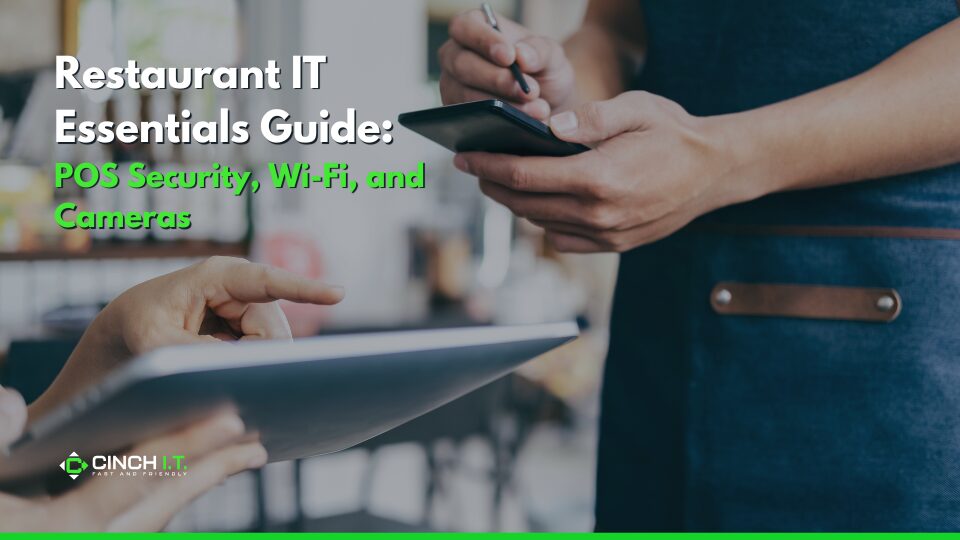
Restaurants today are just as much tech-driven as they are food-driven. From point-of-sale systems processing every transaction to the Wi-Fi guests rely on while dining, and the security cameras keeping everything in check, technology touches nearly every part of the experience. For local eateries, whether it’s a boutique café in or a family diner, getting your restaurant IT fundamentals right can make the difference between daily headaches and seamless operations. It means happier customers, more efficient staff, and better-protected profits.
Let’s break down three essentials: securing your POS, offering safe and reliable Wi-Fi, and setting up surveillance the right way.
1. Locking Down Your POS System & Staying PCI Compliant
The POS is the heart of restaurant IT. It handles payments (credit cards galore), tracks sales, and often integrates with inventory and online orders. It’s also a prime target for hackers because it processes cardholder data. In fact, roughly 80% of credit card breaches are tied to compromised cash registers/POS terminals. That stat is alarming, and underscores why securing your POS is non-negotiable.
POS Basics
The average cost of a data breach is $3.9M and 28% of breaches target small businesses like restaurants, so the risk of an IT threat is real. You don’t want to be the next headline where dozens of customer cards were stolen from your cafe’s POS. Luckly the basics to protect your business are easy:
- Ensure your POS software is updated regularly with security patches. If you’re using a cloud-based or iPad POS (like Square or Toast), the vendor usually handles updates, just don’t neglect device OS updates. For Windows-based POS, apply patches and use antivirus.
- Network segmentation. Your POS terminals and back-office systems that handle card data should be on a separate VLAN or network from any public Wi-Fi (more on Wi-Fi below). This way, a guest connecting to your internet can’t snoop on POS traffic or attempt to infect those systems. PCI DSS (Payment Card Industry Data Security Standard) requires strict separation of the card data environment from other networks. It also mandates a firewall and changing default passwords on POS hardware (you’d be surprised how many small restaurants never change the default admin password on their router or POS and get in trouble for it).
- Check that your POS vendor follows encryption and tokenization best practices. Most modern systems do encrypt card data end-to-end so that even if someone intercepts it, it’s gibberish. If your POS system is older, consider an upgrade or add-on encryption device.
- Implement anti-virus and anti-malware on any Windows POS or back-office PCs. Many breaches in restaurants have come from malware (like a keylogger or RAM scraper) installed on POS terminals because someone unknowingly opened a bad email or USB on the same system. Lock down POS machines so they aren’t used for web browsing or personal email and dedicate them to transactions only.
- Limit remote access: if you or your POS vendor uses remote desktop or similar for support, ensure it’s secured (unique strong passwords, preferably behind a VPN, or use tools with 2FA). Cybercriminals actively scan for remote access ports on POS systems.
- Consider enabling multi-factor authentication for any remote management of the POS or cameras, etc., to add an extra hurdle for attackers.
PCI Compliance
Restaurants that accept cards must follow PCI rules. That includes things like annual network scans by an approved scanning vendor, keeping a written security policy, and training staff not to mishandle card data. While if you use a reputable POS provider (Micros, Clover, Toast, etc.), much of this is built in you still should attest to PCI compliance annually. Usually you can do this through your payment processor, which essentially means verifying you have a secure network, updated systems, antivirus, unique passwords, and so on. It’s worth it, because non-compliance can lead to fines especially if a breach occurs.
A quick win: ensure default passwords are changed on all devices (router, POS terminals, DVR for cameras, etc.). It’s shocking but a lot of breaches happen simply because the IT gear was left at factory password, which hackers know (common ones like admin/admin). The PCI guide specifically calls this out.
Employee Training
Even in a small restaurant, train your staff on basic POS security. For example, instruct that if anyone calls claiming to be “POS tech support” and asking for remote access or passwords, it’s likely a scam – verify their identity via management. Teach them not to install unauthorized software or USB drives into POS systems. Fewer than half of small businesses train employees on cybersecurity, but those that do cut down incidents significantly. A one-hour briefing could save you from a huge headache.
2. Providing Customer Wi-Fi – Safely and Reliably
Offering free Wi-Fi can keep customers happy (think of coffee shops where people work for hours) and even boost business. But it comes with responsibilities: you must make sure it’s secure and separate from your business network. The simplest way is to use a business-class Wi-Fi router that supports a guest network feature.
Nearly all modern routers, or access points, have the ability to create a guest SSID that is isolated. Make sure to enable that isolation. This means guests can only get to the internet, not to your POS, office PC, or other connected devices.
Also, use a strong passphrase for the admin login of the router itself and for your private network Wi-Fi (the one your staff or devices use). Many restaurateurs forget to change the default router password, a passerby could literally log in and tamper with settings.
Setting up a Wi-Fi Password or a Captive Portal for Guests
While some places leave it open, having at least a simple WPA2 password (even if you post it on the wall) prevents very casual snooping. It encrypts the traffic for each guest. Alternatively, you can use a captive portal (landing page) to give an access code or “agree to terms”. If you do it right, each guest gets isolated.
A stat from a tech report said 61% of nonprofits employ MFA for email but moderate adoption of basic controls overall. The point being, don’t overlook basic controls like secure Wi-Fi in your rush for fancy tech. Basic network security goes a long way.
Even further, if your place is large or multi-floor, invest in a mesh Wi-Fi system or additional access points to cover it. Customers get frustrated with spotty Wi-Fi. There are affordable business Wi-Fi solutions (like Ubiquiti UniFi, Cisco Meraki Go, etc.) that let you have multiple APs with a single guest network across them. Plus, you can also throttle bandwidth per user to prevent one person from streaming HD video all day and slowing everyone else down.
And always keep your network gear firmware up to date – router vulnerabilities are a common attack vector. One real risk: if an attacker compromises your network, they could attempt to skim card data from the POS or launch other attacks. So segmenting and updating are not just IT niceties, but critical to protect customer data. According to industry data, many small businesses remain exposed due to outdated tools and a false sense of security– don’t let your café be one of them.
From a user experience perspective, have a simple network name (SSID) and a posted password (maybe rotate it periodically). If you can collect emails or present a splash page with your brand, even better – it makes it look professional and you could market to them later. But weigh that against convenience; too many hurdles and customers won’t bother.
In the competitive hospitality scene, good connectivity can be a small but crucial differentiator especially for the remote worker crowd.
3. Cameras & Surveillance – Watch but Don’t Violate Trust
Security cameras in restaurants serve multiple purposes: deter theft (both external and internal), provide evidence if something goes wrong, and even let you monitor operations (like if a line is forming or how staff are handling rushes). Modern IP cameras are affordable and relatively easy to set up, but there are a few key considerations: placement, storage, and security of the camera system.
Camera Placement
When setting up Cameras make sure at the very least that you are covering entrances/exits, the register area, and any back storage or alley. Many restaurants also keep an eye on the dining floor (discreetly) to resolve any disputes (e.g., “Customer says they left a wallet on table 4”).
In most states it’s legal to have cameras in public areas of your establishment, but not in private areas (restrooms, etc.). Typically, you’ll want a mix of overview cameras and some angle on the POS/register to see transactions (and any tampering). Ensure cameras are high enough resolution to be useful – 1080p is baseline nowadays, 4K if you want crisp detail (but requires more storage).
Camera Storage
Consider a network video recorder (NVR) that stores footage either on-site (hard drive) or in the cloud. Many modern cams (like Nest, Ring, etc.) offer cloud plans. However, cloud cameras for a busy restaurant can incur hefty monthly fees, so an on-site NVR with sufficient capacity (maybe 1-2TB) might be more cost-effective long term.
Tip: keep at least 14-30 days of footage if possible. Footage can be critical not just for theft, but for liability (e.g., a customer slip-and-fall – video could protect you or help in claims).
Securing your Camera System
Now, crucially, secure your camera system. IP cameras are IoT devices and can be entry points for hackers if left default or unsegmented. Ideally, put cameras on their own VLAN or at least ensure the NVR is not accessible from the internet unless absolutely needed (and if needed, use a strong password and preferably a VPN for remote view).
Many cheap camera systems have well-known vulnerabilities. One best practice: place the cameras on a physically separate network or VLAN. A cybersecurity expert noted “mixing the cameras on a standard network without separation is a recipe for disaster” because it could let hackers into your main network. If you can’t physically separate, VLAN separation is acceptable.
Change all default passwords on cameras and NVRs (they are often like admin/admin – very unsafe). Many incidents have occurred where restaurants found their camera feeds exposed on the internet simply because they never secured them (one 2014 article found over 73,000 unsecured camera locations online due to default credentials). Don’t add to that statistic. Use strong, unique passwords for the DVR and disable any features you don’t use (like uPnP or port forwarding if not needed).
Consider who truly needs access to the feeds – maybe the owner/manager only. Resist giving every supervisor the login unless there’s a reason.
Additional Camera Notes
If your cameras are recording card terminals or screens, angle them so they’re not capturing sensitive data like card numbers or PINs (which shouldn’t be visible anyway, but just in case). Usually, a broad view is enough; you don’t need zoomed-in footage of a credit card.
Also, maintain your cameras. Ensure they’re cleaned (grease in a kitchen environment can fog them up), and that night mode works if you need after-hours footage. A poorly maintained system might be useless when something happens.
Internal Links – Putting Your Restaurant IT All Together
All these systems – POS, Wi-Fi, cameras – work best when integrated and managed professionally. For instance, if you have a managed IT service monitoring your network, they can get alerts if a new device joins (like a rogue device) or if a camera goes offline unexpectedly. They can also handle PCI compliance checklists and keep your firewalls updated.
Cinch I.T. offers cybersecurity and network solutions for small businesses that would cover restaurants, helping implement firewalls, secure Wi-Fi, and system monitoring as part of our managed IT support services. We understand the nuances, like scheduling POS system updates in off-hours so it doesn’t interrupt your dinner rush.
Restaurant IT Essentials Guide Overview
By focusing on these “restaurant IT essentials,” you create a safer and more efficient environment for both your staff and customers. The technology in a modern restaurant isn’t just in the kitchen appliances; it’s in the data flowing through your POS, the signals in the airwaves of your café, and the eyes in the sky via your cameras.
Paying attention to these will help prevent a security incident that could ruin your hard-earned reputation, and it will also improve customer experience (they know their card data is safe and they enjoy reliable Wi-Fi) and give you peace of mind (you can check in on your business remotely through cameras or get alerts if something’s amiss).
So serve up some security along with that signature dish – your patrons and your bottom line will both be better for it.
____________________________________________________________________________
Sources
- ScholarWorks UMass (PCI study) – “Restaurants are vulnerable to security attacks simply because about 80 percent of credit-card data breaches are tied to cash registers and other POS terminals.”
- Lavu (Restaurant POS guide) – “PCI compliance is mandatory for any restaurant accepting card payments. It protects customer payment data, reduces risk of costly data breaches… Key takeaways: Data breaches cost $3.9M on average, and 28% of breaches target small businesses like restaurants… Common challenges: outdated POS systems, staff mishandling data.”
- EEN Security (Camera Best Practices) – “Mixing the cameras on a standard network without separation is a recipe for disaster. Ideally, place the security camera system on a physically separate network from the rest of your network. If not possible, use a VLAN.”
____________________________________________________________________________
About the Author
Niko Zivanovich is a Cybersecurity Leader with experience in helping organizations understand and achieve a more complete security posture. He is a co-owner of Cinch IT of Denver and has been working at Pellera Technology Solutions for 6 years, most recently as the Director of Cyber Defense and Threat Intelligence. Niko specializes in CISO advising, netsec ops, incident response, pen testing, and threat intelligence research. He holds multiple certifications through the SANS GIAC organization and is a Board Director for the InfraGard Colorado and Wyoming Chapter.
Enjoyed the Restaurant IT Essentials Guide: POS Security, Wi-Fi, and Cameras article? If so then head over to our Blogs for more top tech tips.
Or follow our LinkedIn page for weekly tech tips, industry insights, and practical cybersecurity guidance for SMBs.
____________________________________________________________________________
About Cinch I.T.
Founded on the belief that I.T. support should be easy, Cinch I.T. has grown into one of the nation’s fastest-growing managed service providers. Our franchise model blends centralized expertise with local ownership, giving clients the best of both worlds. Our team is committed to being more than just a service provider, we’re your dedicated partner in achieving operational efficiency and peace of mind. With our fast, friendly, and transparent approach, you’ll always know where you stand and you always know you will have wi-fi security.
Discover how Cinch IT can support your success through smarter, more secure technology solutions. Contact us today!
Cinch IT Denver not your nearest location? View our nationwide Cinch I.T. offices: