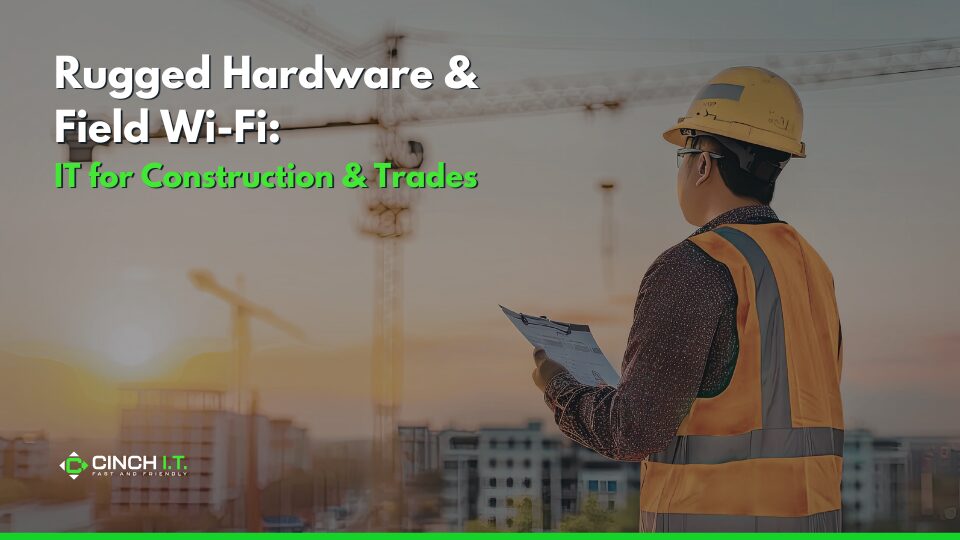
Construction and trade businesses operate in harsh, demanding environments – dusty job sites, outdoor projects in the various weather conditions, and constantly on the move. Standard office IT gear just doesn’t cut it when you’re dealing with drops, vibrations, or trying to get a Wi-Fi signal in the middle of a development plot.
Construction and trades companies need technology that’s as tough and mobile as they are. The good news: there are rugged hardware options and field connectivity solutions tailor-made for these situations. Equipping your team with the right tech not only prevents frustrating breakdowns but also boosts productivity. Think digital blueprints on-site, instant communication, and real-time reporting from the field.
Rugged Laptops & Tablets
IT for construction means that laptops need to withstand dust, water, extreme temperatures, and physical shocks. We’re talking devices that can survive a fall off a tailgate, a rain drizzle, or summer heat on a blacktop. Fortunately, companies like Panasonic, Dell, and Getac produce “fully rugged” and “semi-rugged” computers specifically for industries like construction. trades rugged hardware
Built for the Job Site
For trades rugged hardware example, Panasonic’s TOUGHBOOK line and Dell’s Latitude Rugged series come with MIL-STD-810G/H certification (military-grade durability tests for drops, vibration, etc.) and high IP ratings for dust/water resistance. These machines often have:
- Shock-mounted hard drives or SSDs, hardened frames, and protected ports.
- Sunlight-readable screens (no more fighting glare – e.g., 1000-nit brightness displays) and touchscreens that work even if you’re wearing gloves.
- Support extra-long battery life or even dual batteries (some Getac models advertise up to 30 hours with dual batteries) – crucial when power outlets are scarce on a job site.
For tradespeople frequently referencing digital plans or running diagnostics, consider a rugged tablet for even more mobility – these can be mounted in vehicles or carried easily, and many come with rain-resistant touch capability. Brands like Getac and Estone have construction-tailored tablets with protective casing and even programmable buttons for common functions while wearing gloves. A good rugged tablet or 2-in-1 allows site engineers to mark up drawings or take site photos and notes on the device directly.
The increased upfront cost is offset by reduced downtime (device failures in the field can halt work if key info is inaccessible) and longevity. Plus, many rugged units have warranty support and accidental damage coverage that’s more business-friendly (Dell and Panasonic often have next-business-day repair options, sometimes on-site).
Why Rugged Hardware is Worth the Cost
Yes, these rugged models cost more upfront than consumer laptops, but they last much longer in punishing conditions. Over the years, we’ve seen standard laptops die fast in construction use (broken screens from a small drop, clogged vents from dust causing overheating, etc.), whereas a properly rugged device shrugs those off. As one industry source puts it, “Rugged laptops are essential for construction work, offering durability, reliability, and performance in harsh environments.”
It’s also worth noting that rugged doesn’t mean clunky performance – modern ones have plenty of power (Intel i5/i7 CPUs, ample RAM, SSDs) to handle CAD viewers, BIM software, or whatever your team needs. When picking, think about roles: a project manager or foreman might use a semi-rugged laptop like Dell’s 5430 (a bit lighter, enough durability for vehicle travel and occasional drops), whereas heavy-duty roles (e.g., surveyors literally working in the dirt) may need a fully rugged like a Panasonic CF-33 or Getac B300 which can take a serious beating.
Also consider vehicle mounting docks and carrying straps. Many rugged models have accessories to mount in trucks or equip with hand straps for easy carrying on site.
Field Wi-Fi and Connectivity
One of the challenges in construction IT is getting network access where there’s no traditional infrastructure. Whether it’s a construction trailer on a new plot or a service van out on a job, connectivity is key for accessing project management software, sending reports, or even enabling newer tech like drone uploads or IoT sensors. Luckily, today’s cellular networks (4G LTE and now 5G) are up to the task.
Internet at the Site Office (or Trailer)
Fixed Wireless Access (FWA) is an excellent solution. It’s essentially a dedicated cellular router that provides broadband internet to your site without any cables. Verizon and AT&T offer business plans for these. You mount a small receiver or just place a robust router (like a Cradlepoint or Pepwave device) in the trailer, and it creates a Wi-Fi network for your team, all via cellular backhaul. It’s quick to deploy (no waiting for cable lines) and can be moved to the next site when a project ends.
As Verizon notes, “FWA can provide high-speed internet to areas without existing wired infrastructure… especially important in remote or temporary locations like construction trailers”. Installation is fast and doesn’t require onsite technicians – often it’s plug-and-play. For example, a Denver builder could use a 5G router that pulls down hundreds of Mbps, plenty for a site office’s needs (cloud-based blueprints, video calls, etc.). Even if 5G isn’t available in a particular spot, LTE usually is, and nowadays that can deliver decent speeds.
Cost and Effort Breakdown
The cost is usually just a monthly data plan and maybe device rental. Compare that to the productivity loss of having no connection (driving back to HQ for prints or using a phone hotspot with one bar of signal). We’ve seen crews literally huddle around one person’s phone trying to get a signal – not fun or efficient. With a proper field Wi-Fi setup, everyone on site can get online seamlessly, just as if they were in the main office.
For large sites, you can use point-to-point wireless bridges if there’s a nearby building with internet – but that requires line-of-sight and some setup. For most, a cellular solution is simpler. Modern construction often leverages cloud project management (Procore, PlanGrid, etc.), so a stable connection means superintendents can update progress in real time, workers can pull the latest plans on tablets, and issues can be flagged immediately with photos uploaded to the cloud.
Plus, this also supports things like Wi-Fi cameras for site security or time-lapse, which can be important.
On-Site Network Ruggedness
The network gear for sites should also be somewhat rugged or protected. Weatherproof access points (APs) can be mounted outdoors to extend Wi-Fi across a big area (for example, a Ubiquiti UniFi mesh AP that’s rated for outdoors, giving workers in various corners of the site a signal). Ensure the networking equipment (routers, APs) is secured in a NEMA enclosure or inside the site trailer to protect from dust and power surges.
Also consider using guest networks or VLAN separation – keep your site office devices separate from any guest or subcontractor access to prevent any security breaches or bandwidth hogging. It’s similar to how you wouldn’t let guests onto your main office network; same logic at a site. If sensitive data is being transmitted (like project financials, client info), use a VPN back to HQ or ensure your cloud services use strong encryption (most do).
Essentially, treat the site’s internet as potentially less secure (since it’s via cellular and physically exposed) and use standard cybersecurity measures – firewalls, VPNs, and strong Wi-Fi passwords. Many rugged routers designed for vehicles or field use come with built-in firewalls and even remote management, so your IT or provider can monitor connectivity and security centrally.
Other Tech Tips for Construction & Trades
Beyond laptops and Wi-Fi, there are other helpful IT angles. For instance, remote support: a managed IT provider can remotely assist a field user via remote desktop if the device is online – useful when someone has an issue in the field and can’t afford downtime. And this will be easier to do if you’ve invested in connectivity as described.
Reporting and Backups
Consider software for field reporting (many are cloud-based and mobile-friendly), and your rugged devices + Wi-Fi make using those feasible.
Have spares of critical tech. If a rugged laptop does go down (they’re tough, not invincible), having a pre-configured spare on hand means work isn’t halted. Since rugged units can be expensive, you might not have many spares, but even a plan to overnight ship a replacement from a vendor in case of failure helps (some vendors offer next-day replacement warranties).
Local Climate Considerations
Environment’s can range from hot sun in the morning to a cool rain in afternoon during the spring season to cold, snowy days, in the winter. Rugged equipment accounts for extreme temps, often operable from far below freezing up to 140°F. For example, a device rated -20°C to 60°C (roughly -4°F to 140°F) will handle a winter morning or a summer afternoon outdoors. That’s something ordinary laptops can’t do well (batteries and LCDs suffer in cold; overheating in direct sun is common for consumer gear).
Rugged devices also often have filters or sealed fanless designs so that blowing dust from a construction site doesn’t clog them up. And when it rains or things get muddy, their keyboards and ports are sealed enough to withstand it (IP65 means dust-tight and can handle low-pressure water jets).
Bottom line: they are purpose-built for exactly the conditions tradespeople face on a daily basis. Yes, you pay a premium, but you’re paying to avoid frequent replacements and lost productivity. Think of it like buying construction-grade power tools versus cheap consumer ones – the investment pays off because they don’t break mid-job.
Success Story
A local contractor upgraded their field foremen from standard consumer laptops (which were getting destroyed about once a year) to semi-rugged Dell Latitude 7424 Rugged Extreme models. They paired that with a 4G LTE router in their mobile site trailer. The result? Virtually zero downtime due to hardware failure in two years, and the foremen could upload daily progress photos and reports straight from the site instead of waiting to get back to the office.
This meant fewer delays and better communication with clients. Plus, they found the rugged machines had features ideal for them – for instance, hot-swappable batteries (foreman can pop in a fresh battery without shutting down) and an outdoor-readable screen that was game-changing for using Bluebeam Revu in bright daylight. It empowered them to use digital drawings on site instead of lugging giant paper plans that often were outdated by the time they were printed.
Cost-Saving Angle
If budget is a concern, consider that rugged doesn’t always mean extremely pricey. There are “semi-rugged” options that provide a lot of durability at a moderate price. Also, you can sometimes find last-generation rugged models at discount or even look at the refurbished market (ensuring they still meet your needs). Even Rugged Tablets like some Android-based ones (Samsung’s Galaxy Tab Active series, for example) are relatively affordable and can take a beating.
These might suit trades like HVAC or plumbing contractors who primarily need to fill forms or run diagnostics apps – a tough tablet in the service truck can handle being dropped or gotten wet better than an iPad. Just like having up to tool and equipteknts, it’s about the right tool for the job.
Overview
By investing smartly in IT tailored for construction and trades – durable devices and robust connectivity – you keep your crews efficient and your data accessible and safe, no matter where the work takes them.
And don’t forget, Cinch I.T. offers expertise in setting up these solutions. We can help source rugged laptops or tablets that fit your specific trade needs and budget, and configure field Wi-Fi solutions (including dealing with carriers, signal testing, and secure network setup). We understand that in construction, time literally is money; downtime or delays waiting on information can ripple into costly overruns. Our goal is to make sure your tech is one of the things you don’t have to worry about on site.
In the rugged world of construction, your IT should be just as rugged, and why you need IT that matches the need for construction & trades rugged hardware. With the right choices, you’ll have technology that works as hard as you do – rain or shine, office or 40-foot scaffold.
____________________________________________________________________________
Sources
- Micronordic Rugged Laptops Guide – “Rugged laptops are essential for construction work, offering durability, reliability, and performance in harsh environments. Top models from Panasonic, Dell, and Getac provide features for different roles. Fully rugged devices are ideal for extreme conditions, while semi-rugged offer cost-effective balance for less severe environments.”
- Getac (Construction solutions page) – “Laptops streamline processes and communication, simplify approvals, and help construction professionals stay on top of responsibilities in dangerous environments. We have rugged laptops and tablets suitable for construction sites to help you connect, evaluate, record, and communicate.”
- Verizon Business – “Fixed wireless access (FWA) can provide high-speed internet to areas without existing wired infrastructure. This is especially important in remote or temporary locations like construction trailers. Installation of FWA is fast and simple, so locations can be up and running quickly without the need for IT support.”
____________________________________________________________________________
About the Author
Niko Zivanovich is a Cybersecurity Leader with experience in helping organizations understand and achieve a more complete security posture. He is a co-owner of Cinch IT of Denver and has been working at Pellera Technology Solutions for 6 years, most recently as the Director of Cyber Defense and Threat Intelligence. Niko specializes in CISO advising, netsec ops, incident response, pen testing, and threat intelligence research. He holds multiple certifications through the SANS GIAC organization and is a Board Director for the InfraGard Colorado and Wyoming Chapter.
Enjoyed the IT for Construction & Trades Rugged Hardware & Field Wi-Fi article? If so then head over to our Blogs for more top tech tips.
Or follow our LinkedIn page for weekly tech tips, industry insights, and practical cybersecurity guidance for SMBs.
____________________________________________________________________________
About Cinch I.T.
Founded on the belief that I.T. support should be easy, Cinch I.T. has grown into one of the nation’s fastest-growing managed service providers. Our franchise model blends centralized expertise with local ownership, giving clients the best of both worlds. Our team is committed to being more than just a service provider, we’re your dedicated partner in achieving operational efficiency and peace of mind. With our fast, friendly, and transparent approach, you’ll always know where you stand and you always know you will have wi-fi security.
Discover how Cinch IT can support your success through smarter, more secure technology solutions. Contact us today!
Cinch IT Denver not your nearest location? View our nationwide Cinch I.T. offices: