In the modern threat landscape, protecting your office PCs and laptops isn’t as simple as installing old-school antivirus and calling it a day. Small businesses are increasingly targeted by advanced malware and ransomware that traditional antivirus alone can’t stop. To truly secure your endpoints (the desktops, laptops, and other devices employees use), you need a stack of defensive measures working in tandem.
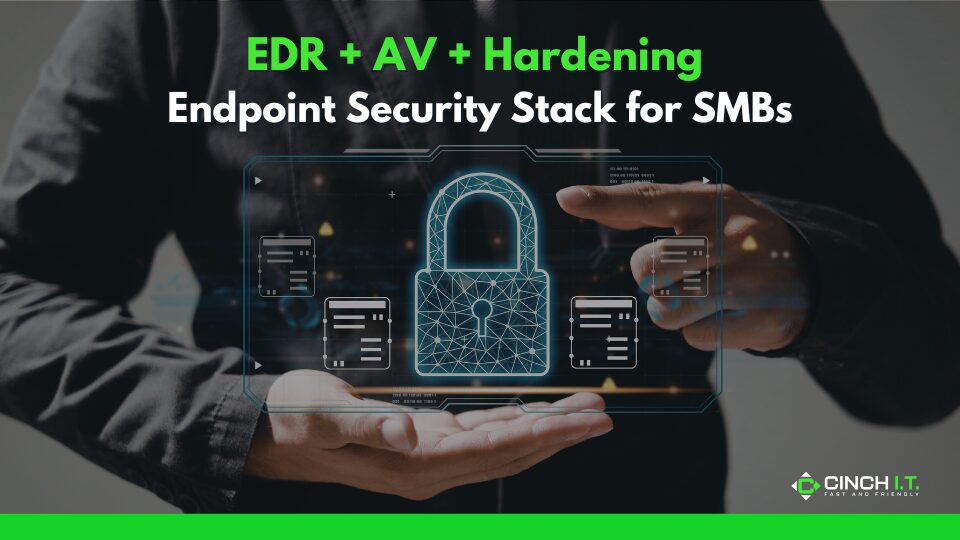
The essential trio for an SMB’s endpoint security stack is: Next-Gen Antivirus (AV), Endpoint Detection & Response (EDR), and system hardening (a fancy term for locking down settings and removing vulnerabilities). Let’s unpack each and see how together they provide strong, layered protection.
Antivirus (AV) vs. Endpoint Detection & Response (EDR)
Traditional antivirus is signature-based; it looks for known malware patterns (like virus definitions) and blocks/quarantines those files. It’s good at catching the “common cold” of malware – the known viruses and trojans that have been seen before. Every business should run some form of antivirus or anti-malware software on endpoints.
However, by itself, AV has blind spots. Cyberattacks have gotten smarter, using fileless malware, script-based attacks, and new strains that signature-based AV might not recognize. That’s where Endpoint Detection & Response (EDR) comes in. EDR is like antivirus on steroids: it continuously monitors behavior on the endpoint in real time and looks for suspicious patterns, not just known bad files.
For example, if an employee’s process starts trying to encrypt a bunch of files or dumps memory, an EDR system (like SentinelOne, CrowdStrike, Microsoft Defender for Endpoint, etc.) can flag and stop that, even if it’s a brand new malware variant with no signature yet.
One way to think of it: antivirus addresses individual threats, while endpoint security/EDR monitors the whole device and how it acts within your network. Statistics back this up. One Ponemon study found 68% of organizations had at least one endpoint attack breach in a year, and many of those incidents bypassed basic AV. EDR focuses on catching those more sophisticated or stealthy attacks and gives you tools to respond (like isolating the machine, rolling back changes, etc.). Importantly, EDR doesn’t replace AV; rather, most EDR solutions include next-gen AV engines as part of the package.
In practice, you run them together. The AV might grab the obvious virus attachments, and the EDR might detect anomalous behavior like a PowerShell script reaching out to an odd server and block it.
Building a Layered Endpoint Defense
A solid SMB endpoint security stack includes, at a minimum, next-gen AV + EDR on each computer. Next-gen AV means it uses AI/machine learning in addition to traditional signatures (for example, Microsoft’s built-in Defender is actually a next-gen AV these days). EDR adds behavioral analysis and incident response capability.
Together, these dramatically improve detection – think of AV as catching the “known bad” and EDR catching the “suspicious unknowns.” One analogy: antivirus is your door lock, keeping known bad guys out; EDR is your security camera and alarm system, able to spot an intruder who managed to sneak in or one who doesn’t match known signatures.
System hardening
This is proactive and aims to reduce the attack surface in the first place. Hardening involves steps like: enabling the firewall on each endpoint, ensuring all operating system and application patches are applied (closing known vulnerabilities), removing or disabling unneeded software and services, enforcing strong admin controls (e.g. most users run as standard user, not with administrator rights all the time).
For example, if SMBs simply keep Windows and software updated, they eliminate a huge percentage of exploits that rely on unpatched bugs. The Jamf Security blog notes best practices such as secure configurations (closing unused ports, using built-in OS security features) and regular software updates and patch management are foundational to endpoint hardening. This also includes things like turning off auto-run for USB devices, using BitLocker or FileVault to encrypt disks (so if a laptop is stolen, data is safe), and deploying MFA for device logins or at least very strong passwords.
Hardening can significantly shrink the attack surface. For instance, disabling old protocols and unnecessary services means less ways for an attacker to get in. If you pair a hardened device with EDR/AV, the device is both less likely to be breached and much more likely to detect any breach attempt.
Real SMB Example – Defense in Depth
Picture a small engineering firm. They have around 20 computers. They decide on a layered endpoint security approach:
- They install Cinch I.T.’s managed EDR solution on all machines, which comes with next-gen AV built-in.
- They apply a baseline security policy to all PCs: enable the Windows Firewall, set up automatic patching for Windows and third-party apps (like Adobe Reader, browsers, etc.), remove deprecated software like Flash or Java, and ensure each user has a standard account with separate admin credentials for installs.
- They also configure Office 365 email settings to block macros from the internet and use conditional access (a kind of zero trust policy) so that only healthy, compliant devices can access sensitive cloud resources.
One day, an employee clicks a malicious email attachment that somehow slipped past filters. The file runs a script that tries to encrypt files – but the EDR agent immediately detects abnormal encryption behavior and terminates the process, alerting the IT admin.
Simultaneously, because the PC had up-to-date patches, the exploit that the malware attempted to use (to gain higher privileges) failed – last month’s Windows update had closed that hole.
In the end, the attempted ransomware is stopped in its tracks; the only “damage” is the employee’s pride and a quick investigation by IT. This illustrates how the combo of EDR’s real-time protection and a hardened system saved the day.
Why SMBs Must Move Beyond Legacy AV
Cyber threats have evolved. We now see AI-generated malware and fileless attacks that hide in memory or use legitimate admin tools (often called “Living off the Land” attacks). Traditional antivirus, which our parents’ businesses might have relied on, simply isn’t enough anymore.
The rise of EDR for small businesses is akin to how alarm systems became common in homes, not just locks. And it’s becoming more accessible. Many next-gen security solutions are affordable and cloud-managed, not needing an army of IT staff. Plus, attackers know SMBs often have weaker defenses, so they’ve been exploiting that gap; a Datto report pointed out that SMBs with only basic AV are highly vulnerable to today’s advanced threats.
By adopting EDR and best practices, 64% of MSPs say their clients have significantly improved security and are asking for these advanced protections.
In summary
An SMB endpoint security stack should include: a reputable next-gen AV/EDR solution on every endpoint, plus strong hardening and maintenance (patches, least privilege, firewall, encryption). The payoff is huge: it reduces the chance of a breach, and if something does slip by, it will be quickly caught and contained.
It’s also worth noting that managed IT providers can deliver this as a service – for example, Cinch I.T. can deploy and monitor EDR on all your devices and keep them updated as part of a managed cybersecurity plan. That way, you’re not just relying on hope or a single antivirus; you have a coordinated defense system. Given that as many as 90% of successful cyberattacks stem from endpoint weaknesses, investing in this stack is one of the smartest moves a small business can make to protect its operations and reputation.
____________________________________________________________________________
Sources
Datto (Kaseya) report on SMB AV vs EDR; SentinelOne Cybersecurity 101 on endpoint vs AV; Jamf best practices for endpoint hardening.
____________________________________________________________________________
About the Author
Niko Zivanovich is a Cybersecurity Leader with experience in helping organizations understand and achieve a more complete security posture. He is a co-owner of Cinch IT of Denver and has been working at Pellera Technology Solutions for 6 years, most recently as the Director of Cyber Defense and Threat Intelligence. Niko specializes in CISO advising, netsec ops, incident response, pen testing, and threat intelligence research. He holds multiple certifications through the SANS GIAC organization and is a Board Director for the InfraGard Colorado and Wyoming Chapter.
Enjoyed the Endpoint Security Stack for SMBs: EDR + AV + Hardening article? If so then head over to our Blogs for more top tech tips.
Or follow our LinkedIn page for weekly tech tips, industry insights, and practical cybersecurity guidance for SMBs.
____________________________________________________________________________
About Cinch I.T.
Founded on the belief that I.T. support should be easy, Cinch I.T. has grown into one of the nation’s fastest-growing managed service providers. Our franchise model blends centralized expertise with local ownership, giving clients the best of both worlds. Our team is committed to being more than just a service provider, we’re your dedicated partner in achieving operational efficiency and peace of mind. With our fast, friendly, and transparent approach, you’ll always know where you stand.
Discover how Cinch IT can support your success through smarter, more secure technology solutions. Contact us today!
Cinch IT Denver not your nearest location? View our nationwide Cinch I.T. offices:
- Tempe, AZ
- Atlanta, GA
- Sandy Springs, GA
- Louisville, KY
- Framingham, MA
- Marlborough, MA
- Newton, MA
- Springfield, MA
- Woburn, MA
- Worcester, MA
- Waukesha, WI
- Moab, UT
- St. George, UT
- Logan, UT
- Denver, CO