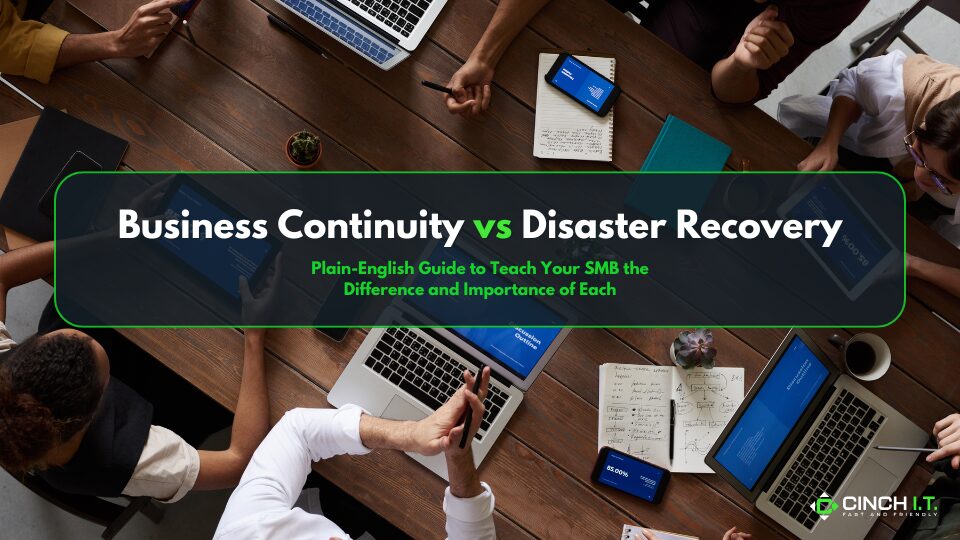
Every small business needs a game plan for worst-case scenarios, but terms like business continuity and disaster recovery often get confused, and leave SMB asking “what is BC vs DR”? Let’s cut through the jargon with a plain-English guide.
What is BC vs DR? These plans are closely related. Disaster recovery is actually a subset of business continuity, but each plan focuses on different scopes.
In short, business continuity (BC) is about keeping your business running during and after a disruption, whereas disaster recovery (DR) is about getting your IT and data restored after something goes wrong. Think of BC as the big-picture plan for “how do we continue serving customers if the building burns down?” and DR as the specific steps for “how do we get our servers and data back online after a crash?”
Business Continuity (BC) – Keeping the Business Going
BC planning is all about maintaining operations under adverse conditions. It asks, if a disaster hits (be it a fire, flood, pandemic, cyberattack, or supply chain failure), how will we continue to operate and for how long?
A business continuity plan is likely to address things like where your employees will work if the office is inaccessible (e.g. everyone works from home or a secondary location), how to communicate with customers and vendors, and which business functions are top priority to restore. It’s not just IT – BC covers operational, financial, and customer-related elements.
For example, a BC plan might involve temporarily redirecting phones to cell phones, using paper forms if your software is down, or outsourcing some work until normal operations resume. It’s broad and focuses on long-term resilience. A continuity plan might say “in case of a building loss, we will relocate critical staff to X location within 48 hours and have at least partial service restoration.”
Disaster Recovery (DR) – Restoring IT Systems and Data
Disaster recovery is one component of business continuity, zeroing in on IT infrastructure and data. A disaster recovery plan typically outlines how you will recover your technology – servers, databases, critical applications – after a disaster. It’s more technical: backup restoration procedures, failover to a secondary data center or cloud environment, recovery time objectives (RTOs) and recovery point objectives (RPOs).
In plainer terms, DR assumes something did go terribly wrong (server got wiped, data center flooded, etc.) and it provides the playbook to get your IT back online. This often involves steps like: retrieve last night’s backup from cloud storage, rebuild the server environment on spare hardware or a cloud server, and switch users to the recovered system. Notice how this is narrower – DR is essentially about IT systems and data loss, while BC considers the entire business operation.
Example BC vs DR
To illustrate the difference in BC vs DR imagine a ransomware attack hits a local retailer. The disaster recovery actions would be to wipe and restore infected systems from backups, re-install software, and recover any encrypted data (essentially, get the IT systems clean and running again).
The business continuity measures, on the other hand, would ensure the store can still function in the meantime – maybe by reverting to manual credit card imprint machines, doing inventory on paper, or selling via a smartphone app – anything to continue doing business and serving customers while IT is being sorted out.
BC is about reducing downtime’s impact on the overall business (alternate processes, emergency customer communication, etc.), whereas DR is about reducing the downtime itself by bringing tech back fast.
Plain English Scenario
Let’s use a straightforward scenario: a pipe bursts and floods your office overnight, destroying your servers and making the space unusable for a week.
A disaster recovery plan would say: “We will activate our cloud backup server that we’ve set up – IT will redirect our systems to the cloud environment and have data restored from backups within 24 hours.” It focuses on the IT fix.
The business continuity plan would cover broader concerns: “Staff will work remotely or from our partner’s conference room for a week. We’ll forward office calls to our answering service. Critical customer orders will be processed through our satellite location. The Finance team will implement our emergency procedures for payroll since our systems are down.”
When it comes to BC vs DR, BC is the umbrella strategy to keep the business viable, and DR is one of the spokes in that umbrella.
Why Both Matter (Especially for SMBs)
For a small or mid-sized business in Denver, a disaster (big or small) can be crippling if you’re unprepared. Statistics show that without a continuity plan, many businesses never reopen after a major disaster – FEMA famously estimated 40% of small businesses don’t reopen after disasters, and another 25% fail within a year[21]. That’s scary, but it underscores why you need to think beyond just backing up data. Sure, having backups (a DR element) means you can recover data, but what about the days or weeks you might be without an office or key people? That’s where BC planning – even informal – can save you.
At minimum, identify your most critical operations and assets: If you lost access to your location or IT for 2 days, what would you absolutely need to keep things running? Maybe it’s your customer contact list, maybe it’s the ability to issue invoices, maybe it’s access to a cloud application. Prioritize those.
It also helps to differentiate the timelines: Disaster recovery is typically shorter-term – “How fast can we get IT up?” (hours or days). Business continuity deals with keeping the business afloat throughout the disruption, which could be longer – days, weeks, or even months of altered operations. A BC plan might include things like temporary relocation, insurance claims, obtaining emergency loans – all of which go beyond IT.
Building a Simple Plan
You don’t need a 100-page binder. Start by writing a basic business continuity and disaster recovery (BC/DR) plan covering:
1). Emergency contacts (internal team roles and external vendors like your IT support or electrician).
2). Critical processes and acceptable downtime – e.g. “We can afford at most 48 hours of order processing downtime.”
3). Backup and recovery steps (outline where backups are and who will initiate restoration – that’s DR).
4). Alternate ways to work if systems/building are down – e.g. “We’ll use personal laptops with a VPN to access cloud software” or “We’ll divert our website to a status page.”
5). Communication plan – how you’ll notify employees, customers, and perhaps suppliers about what’s happening.
Remember, disaster recovery plans usually form part of the larger business continuity strategy. The DR piece slots into the BC plan. So if you have a solid nightly backup routine and a contract with a cloud recovery site (DR elements), feed that into the BC plan which might say “IT will failover to cloud backups within 4 hours of a major outage.” Meanwhile, the BC plan will also cover non-IT items like alternate workspace and even PR messaging if needed.
In the End
Test and update these plans at least annually. Even a short tabletop exercise (“What would we do if X happened tomorrow?”) with your team can expose gaps. It’s much better to find out in a drill that, say, nobody knows how to access the cloud backup account, than during an actual crisis. And don’t forget to include your managed IT provider in this process – Cinch I.T. can help develop and test both continuity and recovery measures, ensuring that from a technology standpoint you’re prepared to weather storms (literally and figuratively).
With a clear understanding of BC vs DR, and a bit of planning, your SMB can endure setbacks and come out the other side with minimal damage.
____________________________________________________________________________
Sources
Sage Advice on BC vs DR definitions; Zmanda blog on scope differences; Forbes (Tech Council) on small business disaster stats.
____________________________________________________________________________
About the Author
Niko Zivanovich is a Cybersecurity Leader with experience in helping organizations understand and achieve a more complete security posture. He is a co-owner of Cinch IT of Denver and has been working at Pellera Technology Solutions for 6 years, most recently as the Director of Cyber Defense and Threat Intelligence. Niko specializes in CISO advising, netsec ops, incident response, pen testing, and threat intelligence research. He holds multiple certifications through the SANS GIAC organization and is a Board Director for the InfraGard Colorado and Wyoming Chapter.
Enjoyed the Business Continuity and Disaster Recovery | BC vs DR article? If so then head over to our Blogs for more top tech tips.
Or follow our LinkedIn page for weekly tech tips, industry insights, and practical cybersecurity guidance for SMBs.

CAN YOUR BUSINESS WITHSTAND A HACK?
____________________________________________________________________________
About Cinch I.T.
Founded on the belief that I.T. support should be easy, Cinch I.T. has grown into one of the nation’s fastest-growing managed service providers. Our franchise model blends centralized expertise with local ownership, giving clients the best of both worlds. Our team is committed to being more than just a service provider, we’re your dedicated partner in achieving operational efficiency and peace of mind. With our fast, friendly, and transparent approach, you’ll always know where you stand.
Discover how Cinch IT can support your success through smarter, more secure technology solutions. Contact us today!
Cinch IT Denver not your nearest location? View our nationwide Cinch I.T. offices:
- Tempe, AZ
- Atlanta, GA
- Sandy Springs, GA
- Louisville, KY
- Framingham, MA
- Marlborough, MA
- Newton, MA
- Springfield, MA
- Woburn, MA
- Worcester, MA
- Waukesha, WI
- Moab, UT
- St. George, UT
- Logan, UT
- Denver, CO