











Cinch I.T.

  • HOME
  • Services
    • FREE ASSESSMENTS
      • FREE SECURITY ASSESSMENT
      • FREE DARK WEB SCAN
      • BOOK A FREE ASSESSMENT
    • IT SITUATION
      • NO I.T.
      • I.T. MANAGER
      • OUTSOURCING I.T.
    • INDUSTRIES
      • LAW FIRM
      • INSURANCE
      • HEALTH CARE
      • INDUSTRIAL & CONSTRUCTION
      • INVESTMENT and FINANCIAL
  • About
    • BLOG
  • Contact
    • LOCATIONS
  • Franchise Opportunities

Shadow IT & AI: How to Detect and Control Unapproved Tools

by cinch i.t. / Thursday, 14 May 2026 / Published in Tech Blog
Shadow IT & AI: How to Detect and Control Unapproved Tools

In today’s fast-moving tech landscape, many employees in small and midsize businesses are adopting their own tools, from unsanctioned cloud apps to AI services like ChatGPT, often without IT’s knowledge. This phenomenon, known as “Shadow IT”, can boost productivity but also introduce serious security and compliance risks. Even well-intentioned staff might use an unapproved file share, chatbot, or analytics tool to get their job done faster. But unvetted apps may lack proper security, could expose sensitive data, or conflict with company policies.

A 2023 Microsoft study found that 80% of employees admit to using non-approved software at work. And with the rise of easy-to-access AI tools, “Shadow AI” is emerging – employees privately using AI services or local AI models on corporate data without clearance. For SMBs, addressing shadow IT and AI as well as how to detect and control unapproved tools is now a critical part of cybersecurity.

Why Shadow IT and Shadow AI Are Risky

When staff use tools outside IT’s purview, data can leak and security controls are bypassed. For example, an employee might upload client data to a free AI writing assistant – inadvertently exposing confidential info. Indeed, workplace AI usage jumped 485% in one year (Mar 2023-Mar 2024) and 73.8% of those ChatGPT accounts were personal (not enterprise-controlled), meaning company data is often being fed into personal AI accounts lacking enterprise security. This has led to sensitive data like source code and HR files being shared with external AI services.

Shadow IT also means more entry points for attackers. Unapproved cloud apps might not have strong authentication or may be running outdated software. If IT doesn’t know about an app, they can’t secure it or respond if it’s compromised. In short, shadow IT/AI increases the attack surface and can violate regulations (e.g., using a non-compliant cloud storage for customer data could breach GDPR or HIPAA). According to Arctic Wolf, each unauthorized app is a potential incident, and shadow IT usage correlates with higher breach rates.

How to Detect and Control Unapproved Tools

So how can an SMB detect and control these unapproved tools without stifling innovation? The key is finding a balance between security and flexibility. Employees often adopt new tools because they’re trying to work faster, collaborate better, or solve a problem the current tech stack doesn’t address. Instead of treating every unapproved app as a disciplinary issue, businesses should focus on visibility, education, and creating clear processes for evaluating new technology. Here are some practical steps SMBs can take:

1. Discover What’s in the Shadows

You can’t manage what you can’t see. Start by auditing your network for unknown cloud services and AI tool usage. Use your firewall or secure web gateway logs to identify traffic to popular unsanctioned apps (e.g., Dropbox, Slack free version, ChatGPT, etc.). Microsoft’s Cloud Discovery (part of Defender for Cloud Apps) can parse firewall logs and reveal which SaaS apps employees are using. Additionally, monitor DNS queries – if many users are hitting OpenAI’s API or other AI endpoints, that’s a clue.

Even analyzing email records can help; one approach is monitoring OAuth app consents or “magic link” emails from new services (tools like Material Security monitor email to detect new app sign-ups). Don’t forget endpoints: consider running an inventory tool that finds unauthorized software installed on PCs. The goal is to compile a list of shadow IT in use.

2. Educate and Set Policy (“Bring Shadow IT into the Light”)

Often, employees use shadow tools not out of malice but to fill a gap. Communicate a clear Acceptable Use and BYOD policy that spells out which apps/services are allowed and the process to request exceptions. Include AI-specific guidance: for example, “Do not input confidential client data into any AI system without approval.”

Training is crucial – teach staff why certain consumer apps pose risk (e.g., free cloud AI may retain and use uploaded data). Explain that IT isn’t trying to block productivity but to protect the business and clients. Security awareness programs should now cover shadow AI, with examples of how an innocent use of an AI chatbot could leak customer PII.

When employees understand the risks and know there’s a procedure to request new tools, they’re more likely to cooperate than go rogue. Make it easy for them to ask: establish a quick approval process for evaluating new apps, so that saying “Yes, but with these safeguards” is more common than a flat “No.”

3. Implement Technical Controls for Shadow IT

Policy alone isn’t enough. Leverage technical solutions to control unsanctioned tool use. A Cloud Access Security Broker (CASB) or similar cloud security tool can help. For instance, Microsoft’s Defender for Cloud Apps (formerly MCAS) can discover cloud app usage and even block or sanction apps based on risk level. You can set policies like “alert if more than 5 users use app X” or “block traffic to file-sharing sites that aren’t approved.” Many next-gen firewalls also have features to identify and control applications (often called “application control”). Ensure your firewall is configured to recognize common web app traffic (Dropbox, Telegram, etc.) and enforce rules (e.g., allow only company-approved cloud storage, block others).

For shadow AI, some advanced filtering tools can specifically detect AI usage. In absence of that, you might block known AI service URLs except for those you explicitly permit enterprise accounts on. Additionally, enforce network segmentation and Zero Trust principles: for example, IoT or personal devices should be on a separate VLAN with limited access, so if someone is running an unauthorized server or AI miner on their personal machine, it can’t reach sensitive internal systems.

Another tip: use DNS filtering to block newly registered or known risky domains, which often covers many fly-by-night SaaS tools. And ensure endpoint protection (EDR) is in place to catch any unusual processes or exfiltration attempts from shadow IT tools running on devices.

4. Monitor Continually and Respond

It’s not one-and-done, you need to continuously monitor for shadow IT. Set up alerts: e.g., if an employee tries to install an unsanctioned app on their company laptop, your endpoint management (like Microsoft Intune) can flag or prevent it. Or if a large upload occurs to an unknown web service, your network DLP or firewall could alert. According to Gartner, by 2026 30% of companies will heavily automate network activity monitoring due to AI usage growth.

Even SMBs can use lightweight monitoring – for instance, enable email notifications for unusual login locations which might indicate someone using a third-party tool via your accounts. When you detect shadow IT, respond with a constructive approach: reach out to the user, confirm the business need that drove it, and then either formally adopt a safe solution or guide them to an existing approved tool. The goal is not to punish but to close gaps.

However, for risky breaches of policy (say an employee intentionally spinning up an unauthorized cloud database with customer info), enforce consequences as per your policy – consistency here deters others from doing the same.

5. Prepare for Legal and Compliance Impacts

Unapproved tools can lead to compliance violations (HIPAA, GDPR, etc., if data is improperly stored). Maintain an inventory of where company data resides. If a shadow AI tool or IT service does slip through and becomes widely used, evaluate it ASAP for compliance. Many state laws require “reasonable security” – having unknown apps with sensitive data might not meet that bar. It’s wise to include shadow IT discovery in regular security assessments. If you ever face litigation or an audit, you need to demonstrate control over your data.

One SMB best practice is to integrate shadow IT detection into onboarding and offboarding. During offboarding, check not just official systems but ask the employee if they used any external apps for work and ensure those accounts are secured or data moved. This helps avoid data “in the wild” after someone leaves.

Summary

Shadow IT and Shadow AI are double-edged, they can drive innovation but also create invisible cracks in your defenses. A balanced approach – education, clear policy, plus technical monitoring and enforcement – is key to managing it. Embrace the productivity benefits by officially adopting good tools (many great SaaS platforms have enterprise licenses with security features), while firmly closing the door on those that are too risky.

For SMBs looking for help, consider a cybersecurity audit or managed IT services which include cloud app monitoring. Cinch I.T., for example, can implement CASB solutions or unified threat management to give you visibility into shadow IT and put guardrails around AI usage as part of our cybersecurity services (helping you “trust but verify” the tools your team uses).

With the right strategy, you can shine a light on shadow IT and harness new tech safely, keeping your business productive and secure.

___________________________________________________________________________

About the Author

Niko Zivanovich is a Cybersecurity Leader with experience in helping organizations understand and achieve a more complete security posture. He is a co-owner of Cinch IT of Denver and has been working at Pellera Technology Solutions for 6 years, most recently as the Director of Cyber Defense and Threat Intelligence. Niko specializes in CISO advising, netsec ops, incident response, pen testing, and threat intelligence research. He holds multiple certifications through the SANS GIAC organization and is a Board Director for the InfraGard Colorado and Wyoming Chapter.

Enjoyed the Shadow IT & AI: How to Detect and Control Unapproved Tools article? If so then head over to our Blogs for more top tech tips.

Or follow our LinkedIn page for weekly tech tips, industry insights, and practical cybersecurity guidance for SMBs.

____________________________________________________________________________

About Cinch I.T.

Founded on the belief that I.T. support should be easy, Cinch I.T. has grown into one of the nation’s fastest-growing managed service providers. Our franchise model blends centralized expertise with local ownership, giving clients the best of both worlds. Our team is committed to being more than just a service provider, we’re your dedicated partner in achieving operational efficiency and peace of mind. With our fast, friendly, and transparent approach, you’ll always know where you stand and you always know you will have wi-fi security.

Discover how Cinch IT can support your success through smarter, more secure technology solutions. Contact us today!

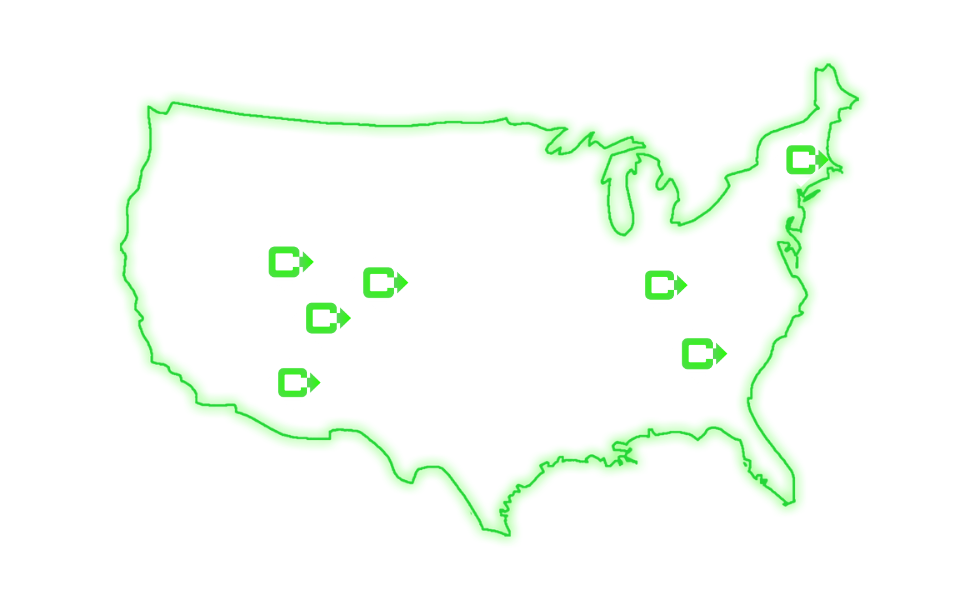
Cinch IT Denver not your nearest location? View our nationwide Cinch I.T. offices:

        • Tempe, AZ
        • Phoenix, AZ
        • Atlanta, GA
        • Sandy Springs, GA
        • Louisville, KY
        • Framingham, MA
        • Marlborough, MA
        • Newton, MA
        • Springfield, MA
        • Woburn, MA
        • Worcester, MA
        • Waukesha, WI
        • Moab, UT
        • St. George, UT
        • Logan, UT
        • Denver, CO

About cinch i.t.

What you can read next

Top 5 Antivirus Programs to Keep Your Computer Safe - I.T. support, antivirus programs, malware removal, computer support, data recovery, business continuity plan
Top 5 Antivirus Programs to Keep Your Computer Safe
Law Firm IT Essentials Guide: POS Security, Wi-Fi, and Cameras
Law Firm IT Essentials Guide: Confidentiality, DLP, and Email Retention
The Good, The Bad, and the Ugly of Mobility and BYOD

Contact Us

27 W Mountain St.
Worcester, MA 01606
Email: sales@cinchit.com
Phone: 1 (833) 246-2448

Socials

  • Our Services

    • HOME
    • SERVICES
      • FREE SECURITY ASSESSMENT
      • FREE DARK WEB SCAN
      • NO I.T.
      • I.T. MANAGER
      • OUTSOURCING I.T.
    • ABOUT US
      • BLOG
    • CONTACT US
      • OUR LOCATIONS

    Privacy Policy | Terms Of Use | © 2026. All rights reserved Cinch I.T. of Massachusetts, Inc. | Designed by Worcester Interactive.

    TOP